
Now: free
US$0
- Scales, your own music and the chord tuner, without limits
- Takes stacked, to find the habits
- Several players on one phone: a family or a studio
Play a scale, or a piece from your own printed music. After the take, every note shows whether it was flat, in tune or sharp.
No account. Your recordings stay on your phone.
Three steps. You listen while you play and look afterwards.
Play a scale or an arpeggio and PracticeX works out which one it was. If you like, bow the open strings first (violin G–D–A–E, viola and cello C–G–D–A) and it checks your tuning too. Or add a PDF or photos of your own printed music and play from it.
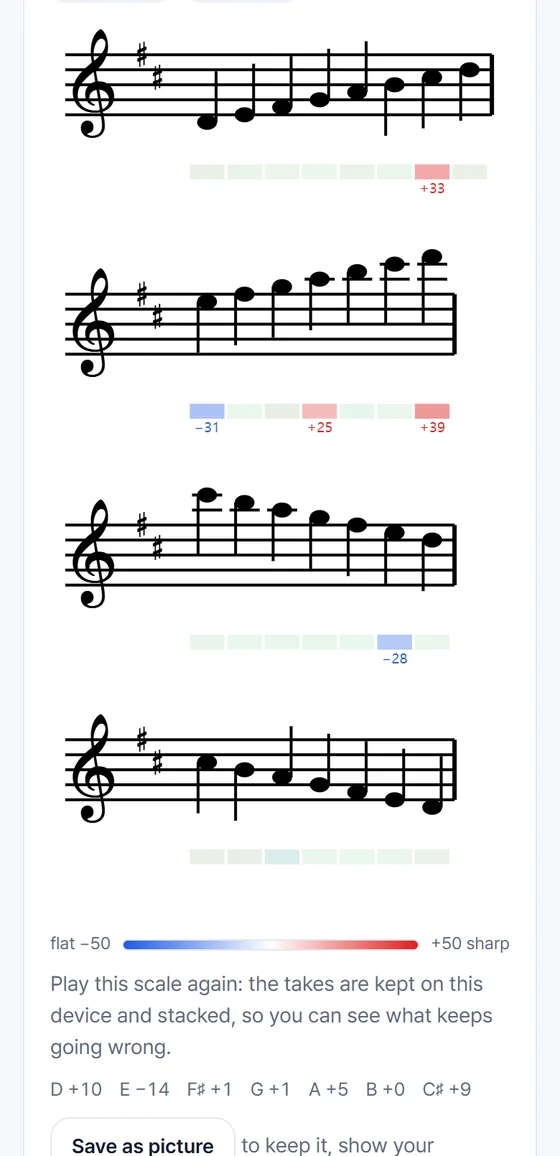
After the take, a color appears under every note: flat, in tune or sharp, with the number of cents where it matters. A short report card says what went well and what to try next.
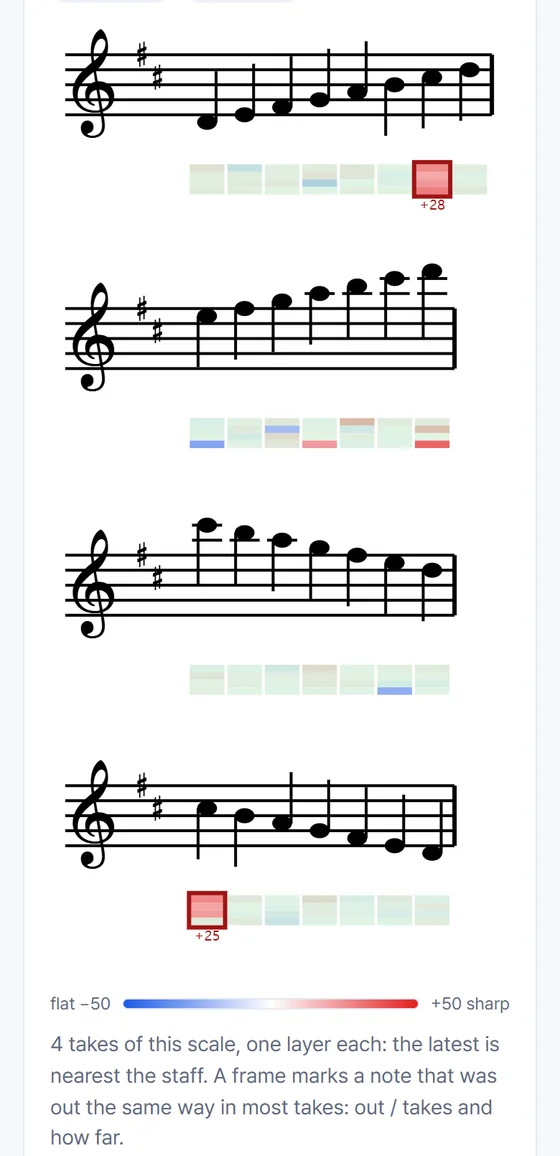
Play it again and your takes stack up. A note that is off in most takes is a habit; one that was off once was a slip. You spend your time on the habits.
A string player is not a piano. These are the things we tried to get right, and that teachers tend to ask about first.
A good major third sits about 14 cents below the piano’s. PracticeX judges thirds in scales and in double stops against the pure third, so a well-tuned third is not marked wrong. You can switch to equal temperament in Settings.
In your own music, each note of a double or triple stop gets its own color. A note it cannot tell apart is hatched in gray, never given a color it might not deserve.
Choose A = 440 to 444 Hz, or let PracticeX estimate the A you actually played to from the whole recording. An orchestra at 442 is set once.
The results appear after you play, not while you play. Students learn to hear the pitch, and the colors then confirm or correct what they heard.
Choose blue and orange, or blue and yellow, instead of blue and red. Every child sees the difference between flat and sharp.
The tuner will check the open strings against pure fifths. It is not in the app yet.
We are building this with string players and teachers. If something is judged differently from how you would teach it, tell us.
Every picture here is a screen of the app, made from a test recording.
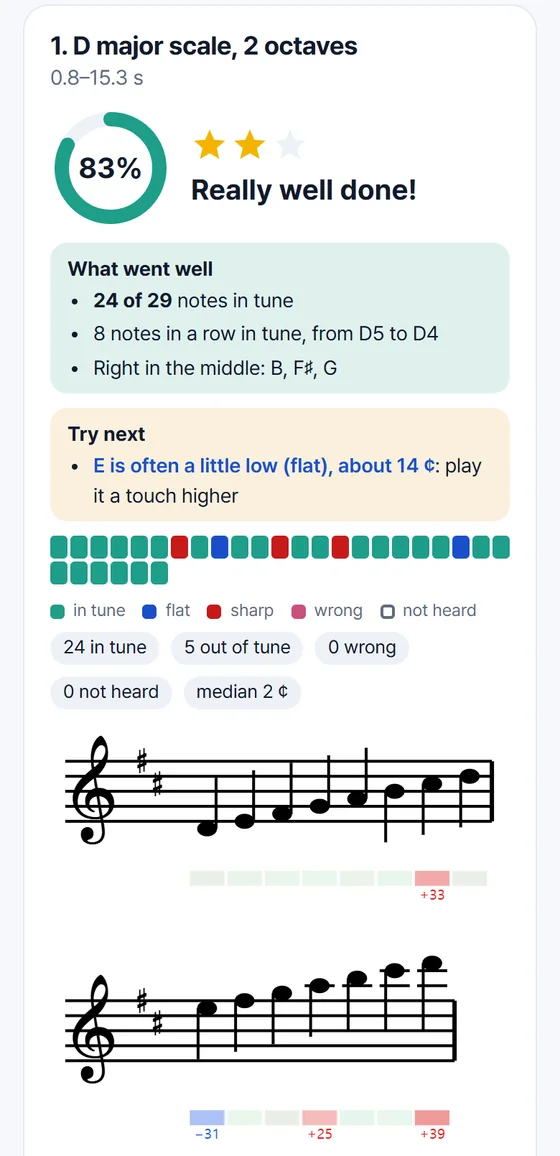
The report card: what went well, what to try next.
A scale on the staff, with a color under every note.
Takes stacked: the notes that keep going wrong.
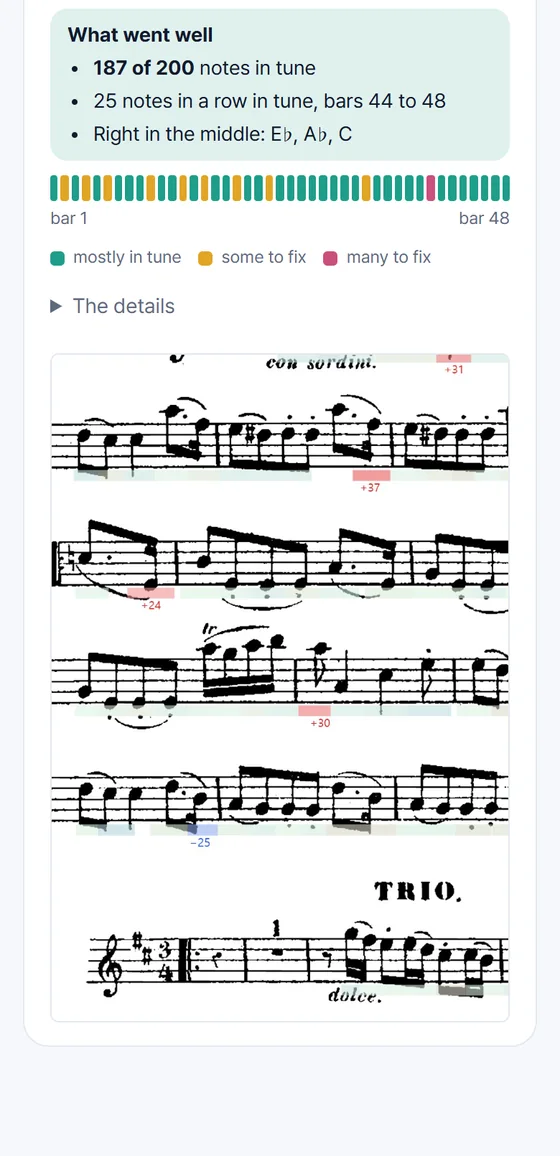
Your own printed page, with the colors under each staff.
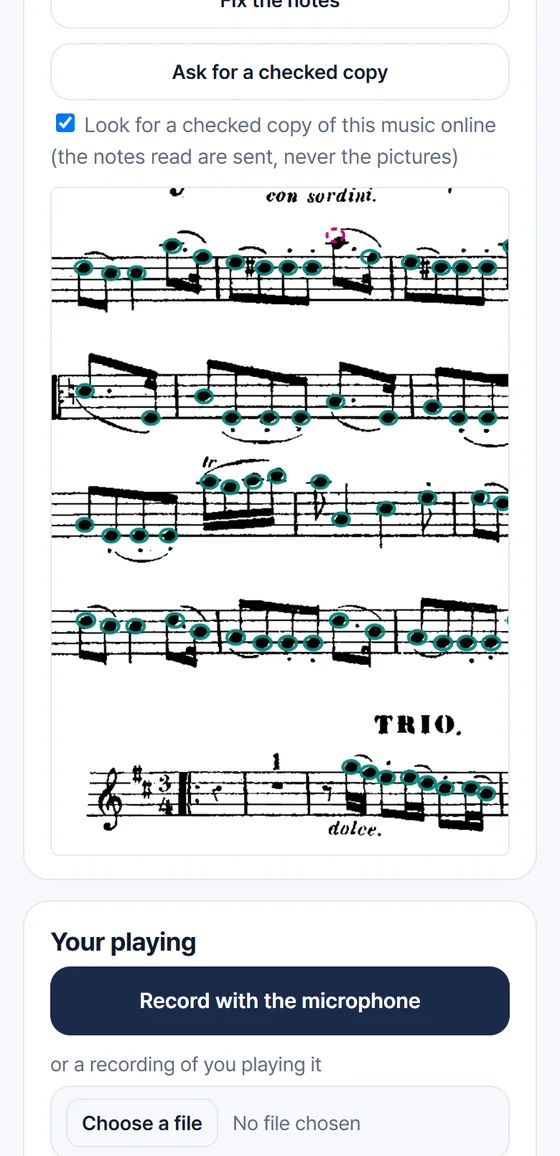
The notes it read from your page. Check them, and fix any it got wrong.
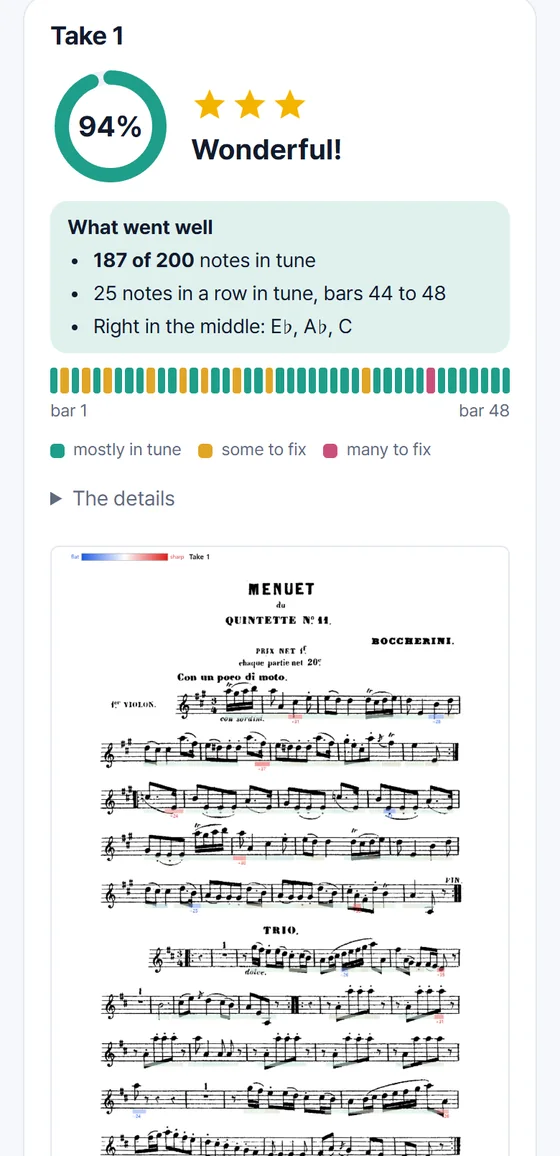
A report card for a piece, with the bars that need work.
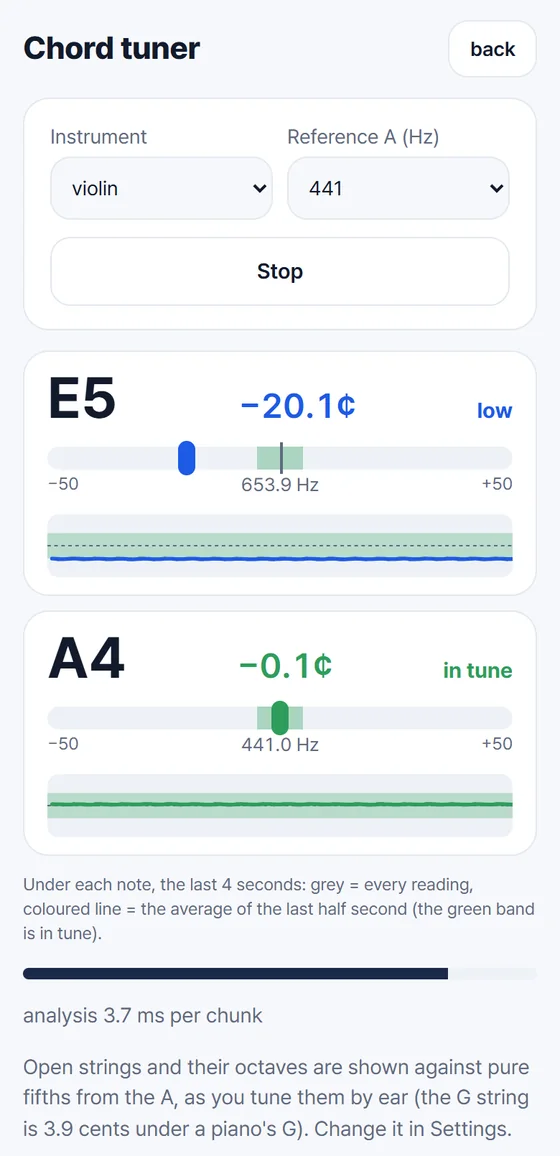
The chord tuner: single notes and double stops, live.
Give your students something to bring back to the lesson: not “I practiced”, but a picture of how the practice went.
Everything in the app is open, with no account and no ads. We are listening to teachers and players before we set a price.
US$0
Early users get a founding benefit when Pro starts.
Before anything changes, the app says so. Nothing is charged without your OK in the App Store.
Prices are in US dollars; the store shows your own price. You pay, cancel and restore through the App Store (or Google Play): you can cancel at any time and keep Pro until the end of the period you paid for.
Violin, viola and cello. You pick yours once in Settings, and the app uses its open strings, its range and its clef (alto clef for viola, bass clef for cello). Violin is the instrument we have tested most; viola and cello are newer, so tell us what you find.
For the pitch, it measures how far each note is from where it should be, in cents (a cent is a hundredth of a semitone), and shows the figure under the notes that are out. For your own music, it reads clean printed music best. Faint photocopies, pencil marks and curled pages are harder. It rings every note it read, so you can check them, and you can fix any note by hand. A note it is unsure about is not judged.
Yes. Listening to your playing and reading your music both happen on your phone, so you can practice without a connection.
There is no account. Your recordings are analysed on your phone and are not uploaded, and neither are the pictures of your music. The one exception is optional: to look for a checked copy of a piece, the app sends only the pitch of each note it read, with no pictures, no sound, no names and no title, and the server keeps nothing. You can turn it off for any piece. Read the privacy policy
The Android app needs a recent Android System WebView. If the app says yours is too old, update Android System WebView and Chrome in Google Play. The Android app is in testing; until it is out, you can use PracticeX in Chrome on the web.
Right now everything is free, with no account and no ads. A Pro plan will come later, after we have heard from teachers and players; the app will tell you before anything changes, and early users get a founding benefit. You never pay without confirming it in the App Store (or Google Play), and you can cancel there at any time.
Many players are children practicing with a parent, and a parent’s phone is fine. The app asks for no name, e-mail or account. The feedback form and the requests we answer by e-mail are for parents, teachers and players of 14 or older.
Play one scale. It takes a minute to see where your pitch drifts.